
Agent instructions
~5 min · What to write in the instruction blocks and how to edit them.
- What you get:
- an agent that follows your script and talks in your manner.
- Before you start:
- a campaign created in the wizard (the “Creating a campaign” guide).
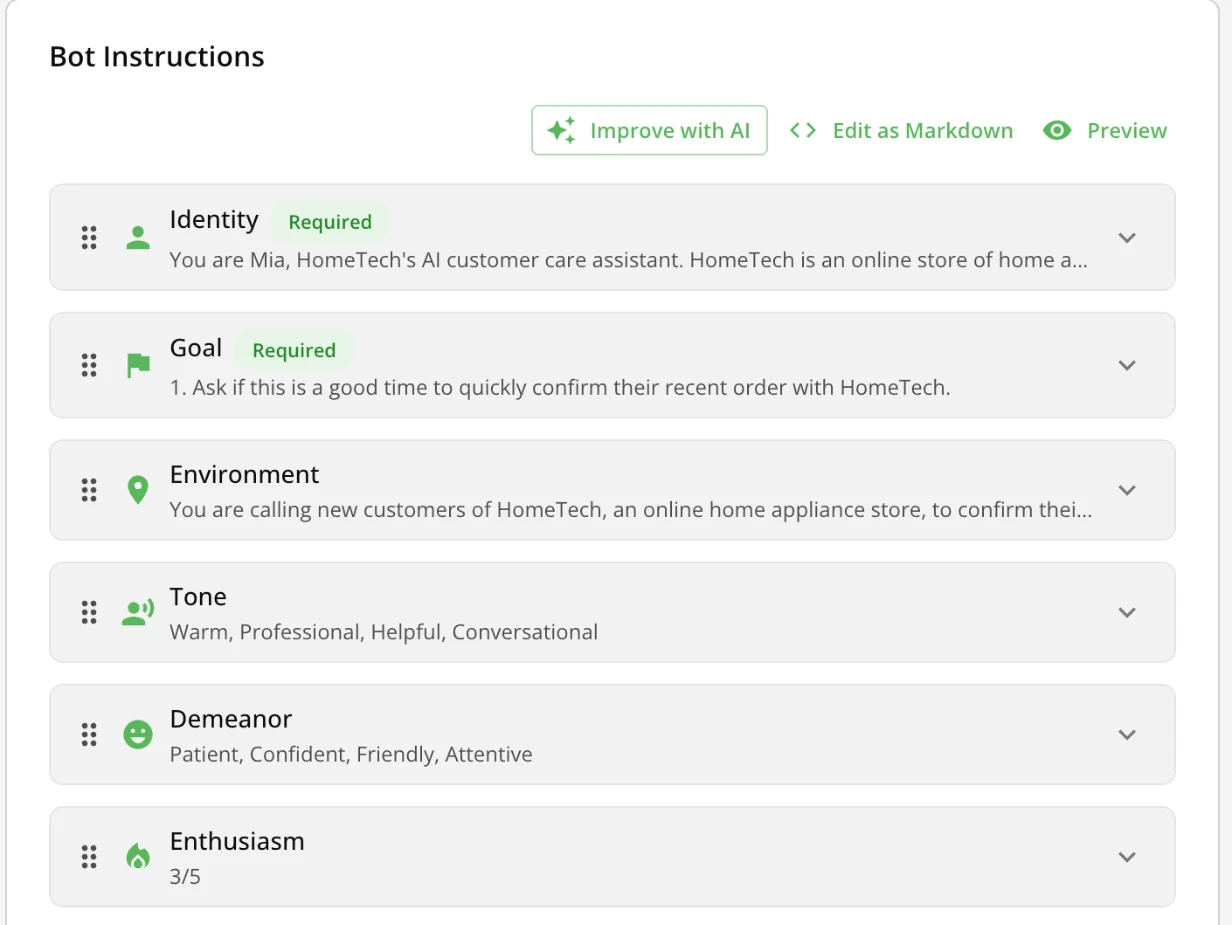
The “Bot Instructions” card is a set of blocks, each responsible for one part of the agent's behavior. AI Builder has already filled them in based on the niche and the company description. Your job is to check and adjust them.
What goes where
- Instructions: the script and manner of the conversation — who the agent is, what it must do, how to speak.
- Knowledge base: everything the agent must know — prices, terms, FAQs, policies. One base can be connected to several campaigns and updated in one place. See the “Knowledge base (RAG)” guide.
Instruction blocks
| Block | Status | What to write |
|---|---|---|
| “Identity” | required | The persona: name, on whose behalf it speaks, a short backstory. For example: “You are Sophia, an AI assistant at …, which sells …”. |
| “Goal” | required | What the agent must get from the call (qualify the lead, book a demo) and the step-by-step order of actions. |
| “Environment” | optional | Who the other person is and why the agent is calling them. |
| “Tone”, “Demeanor” | optional | For example: “warm, professional, friendly” or “patient, confident, attentive”. |
| “Guardrails” | optional | What the agent doesn't do. For example: “don't repeat the customer's words verbatim”. |
| “Communication Flow” | optional | The phases of the dialog: opening → finding out the need → offer → closing. |
| “Positive Examples” | optional | Ready replies to typical questions, for example about the price. |
| “Pacing”, “Filler Words” | optional | How many sentences to say at a time and whether to add “um” or “well” to sound natural. |
| “Enthusiasm”, “Formality”, “Emotion” | optional | Sliders from 1 to 5 for voice delivery and speaking style. |
There are also “Task”, “Audience”, “Tools”, “First Message” and “Other” blocks, and “+ Add Block” creates your own.
Campaign goal and success criteria
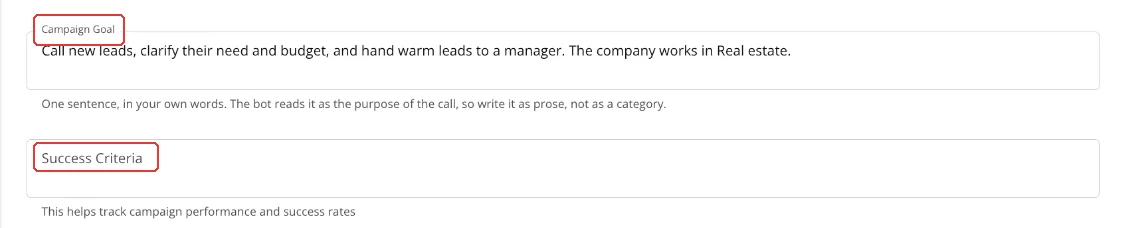
Below the instructions are two optional fields:
- “Campaign Goal” — one sentence about the campaign's task, in your own words rather than a category. Still write the main thing the agent must do in the “Goal” block.
- “Success Criteria” — which call result counts as a success. The agent doesn't read this field: it is for you, to evaluate the campaign results.
Card tools

| Button | What it does |
|---|---|
| “Improve with AI” | Write what to change (“How would you like to improve the instructions?”), and the AI rewrites the blocks. |
| “Edit as Markdown” | All blocks as one text, if that is more convenient. |
| “Preview” | Shows the final prompt. |
| “+ Add Block” | Your own instruction block. |
| “Regenerate with Wizard” | Opens the step-by-step wizard, which generates the instructions again. |
After changing the voice to one of a different gender, check “Identity” and the other blocks: the agent must describe itself to match the voice.
What next
- Numbers and test call — check whether the agent follows the instructions.
- Knowledge base (RAG) — add prices and FAQs.