
Advanced campaign settings
- What you get:
- the agent uses your systems, transfers calls to an operator, detects voicemail and collects data from the conversation.
- Before you start:
- a created campaign.
All blocks are optional. They are collapsible cards in the right column of the campaign editor.
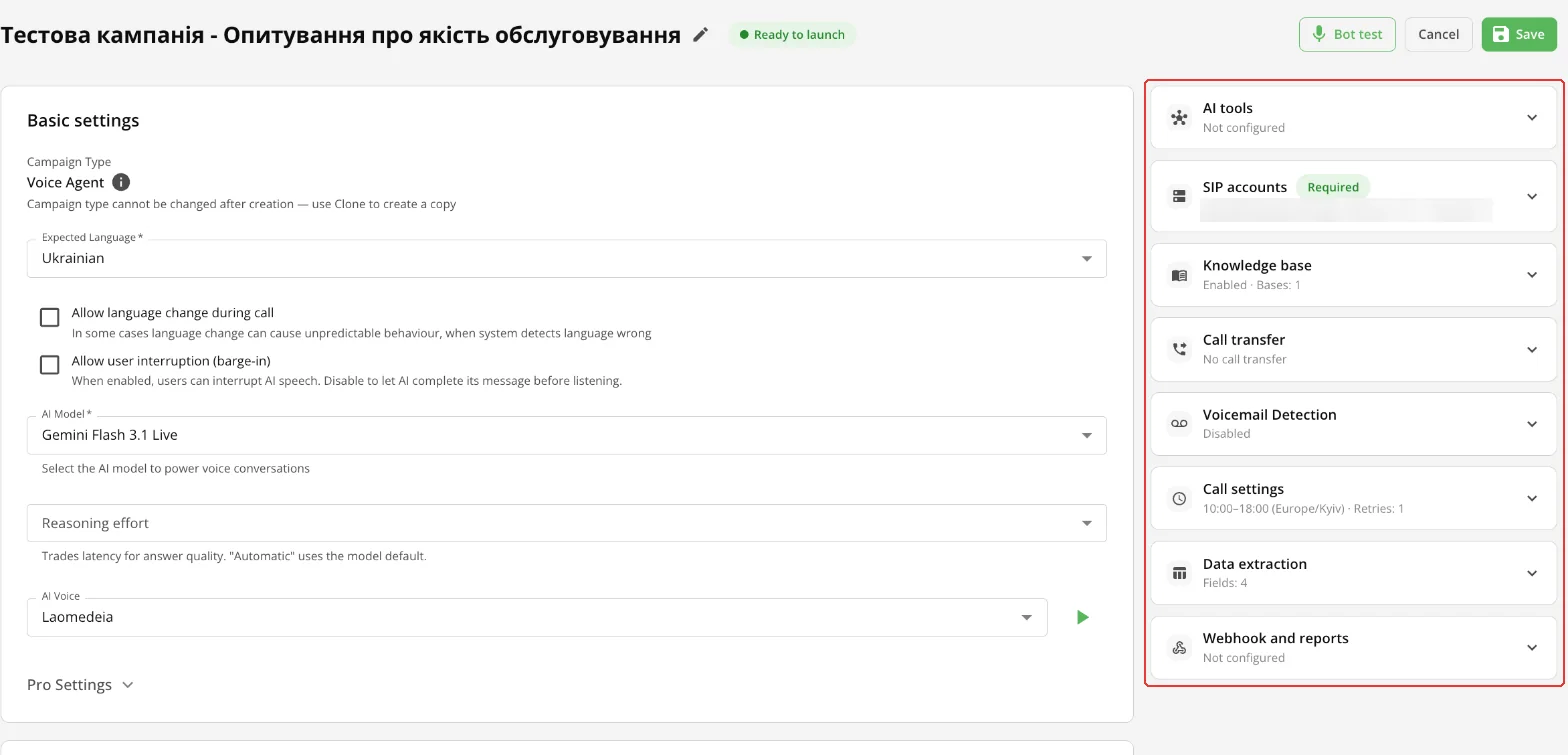
AI tools
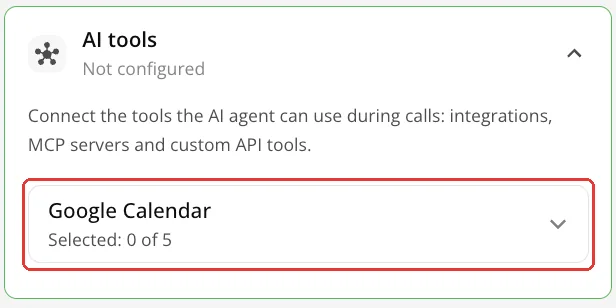
Tools the agent uses during a call: ready-made integrations (Zoho CRM, Pipedrive, Creatio, Odoo, Uspacy, KeyCRM, Google Calendar and Calendly, SMS, Nova Poshta, Servio HMS room booking), MCP servers and your own APIs. Connect them in the “Integrations” section (“Ready-made”, “MCP Servers”, “Custom API Tools”), and in the campaign choose which ones to use: all of an integration's tools or only the selected ones.
Call transfer
The agent transfers the call to a live operator. By default “Transfer routing” is set to “Campaign destinations”: the agent picks an address from this campaign's list. While the list is empty, transfer is off. The other mode is “Project transfer scheme”: destinations come from the project's transfer scheme (left menu → “Transfer Schemes”).
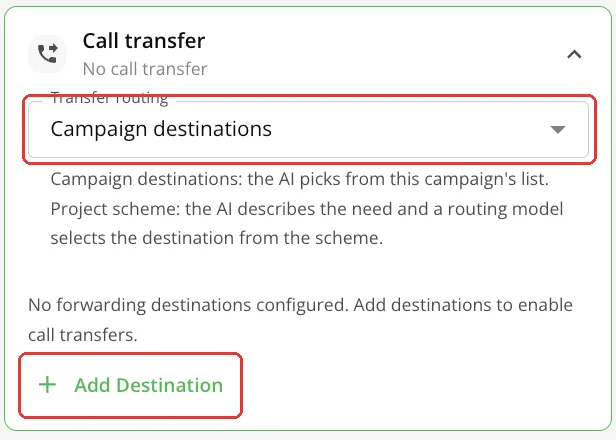
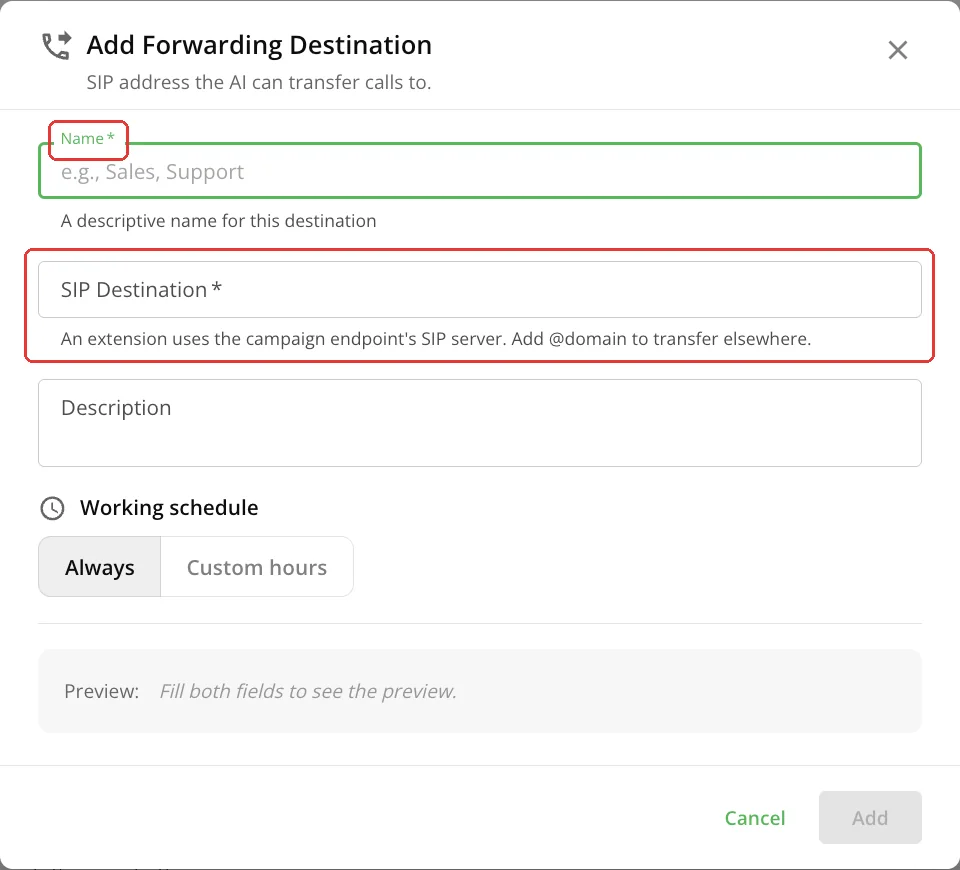
Click “Add Destination” and enter the “Name” and “SIP Destination”: an extension on the campaign's SIP server or an address with an @domain. If needed, set the destination's working hours.
Voicemail detection
Off by default. In a “Voice Agent” campaign, once it is on, the AI itself recognizes an answering machine during the call and hangs up without leaving a message; you don't need to choose a mode or an action.
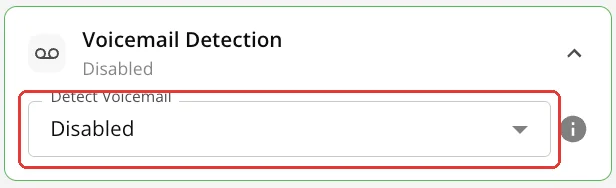
In RoboCall, once it is on, you choose the mode (“Hybrid (Recommended)” by default) and the action (“Hang Up (No Message)” by default). At the start of the call the robot listens for a few seconds to work out who answered: a person or an answering machine.
Data extraction
The structure of the AI call report: which fields the agent extracts from the conversation. For example, budget, interest, callback date.
- 1Click “+ Add Field”. While there are no fields, you can click “Use suggested fields”.
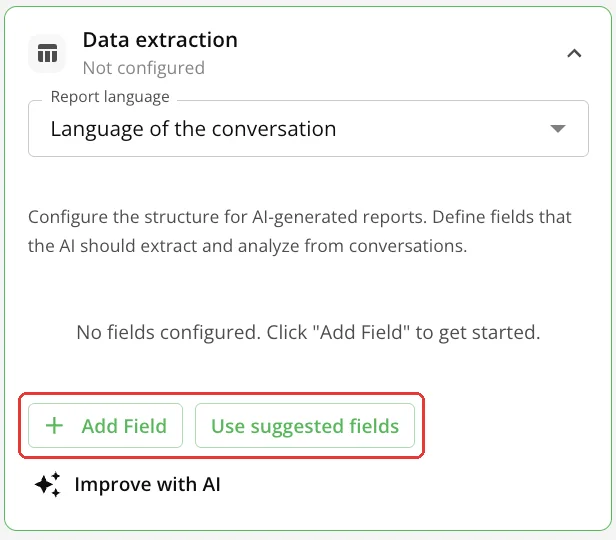
Data extraction - 2Enter the field name, type and description. Mark the field “Required” if needed.
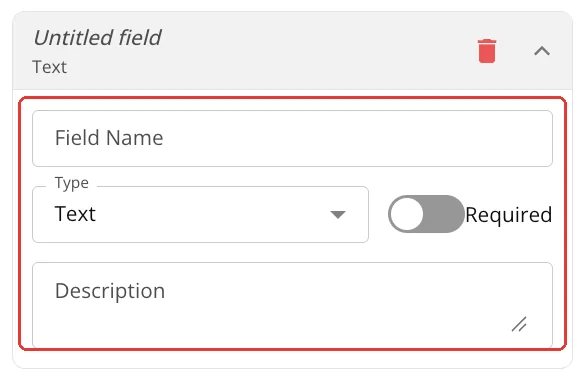
New field - 3Save the campaign.
This data goes into the call report, Telegram reports, the webhook and post-call integrations, for example a CRM (see the “API and webhooks” guide).
What next
- Knowledge base (RAG) — so the agent answers from your documents.
- API and webhooks — to pass the results to your systems.