
Pronunciation dictionaries
~4 min · So the agent says your brand name, terms and abbreviations correctly.
- What you get:
- the agent pronounces your brand name, terms and abbreviations correctly.
- Before you start:
- a campaign with a voice that supports dictionaries; a list of words the agent mispronounces.
Dictionaries work only where the agent speaks with a voice from the “AI Voice” list that supports them: in RoboCall and in models with a separate voice choice. In Ringostat Pro models (including the recommended Gemini 3.5 Flash) the voice is built into the model and dictionaries are not applied.
Rules sync with the voice engine and apply to calls, the bot test and voice previews in every campaign the dictionary is connected to.
1. Create a dictionary
- 1Left menu → “Pronunciation Dictionaries” → “+ Add Dictionary”.
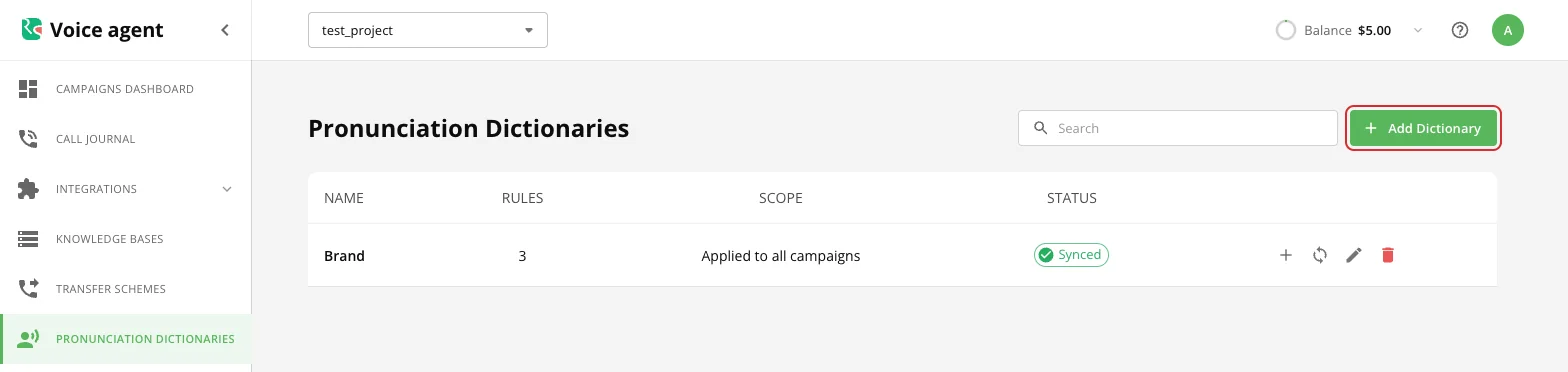
Pronunciation dictionaries list - 2Fill in the name, a description if you like, and add rules with “+ Add Rule”.
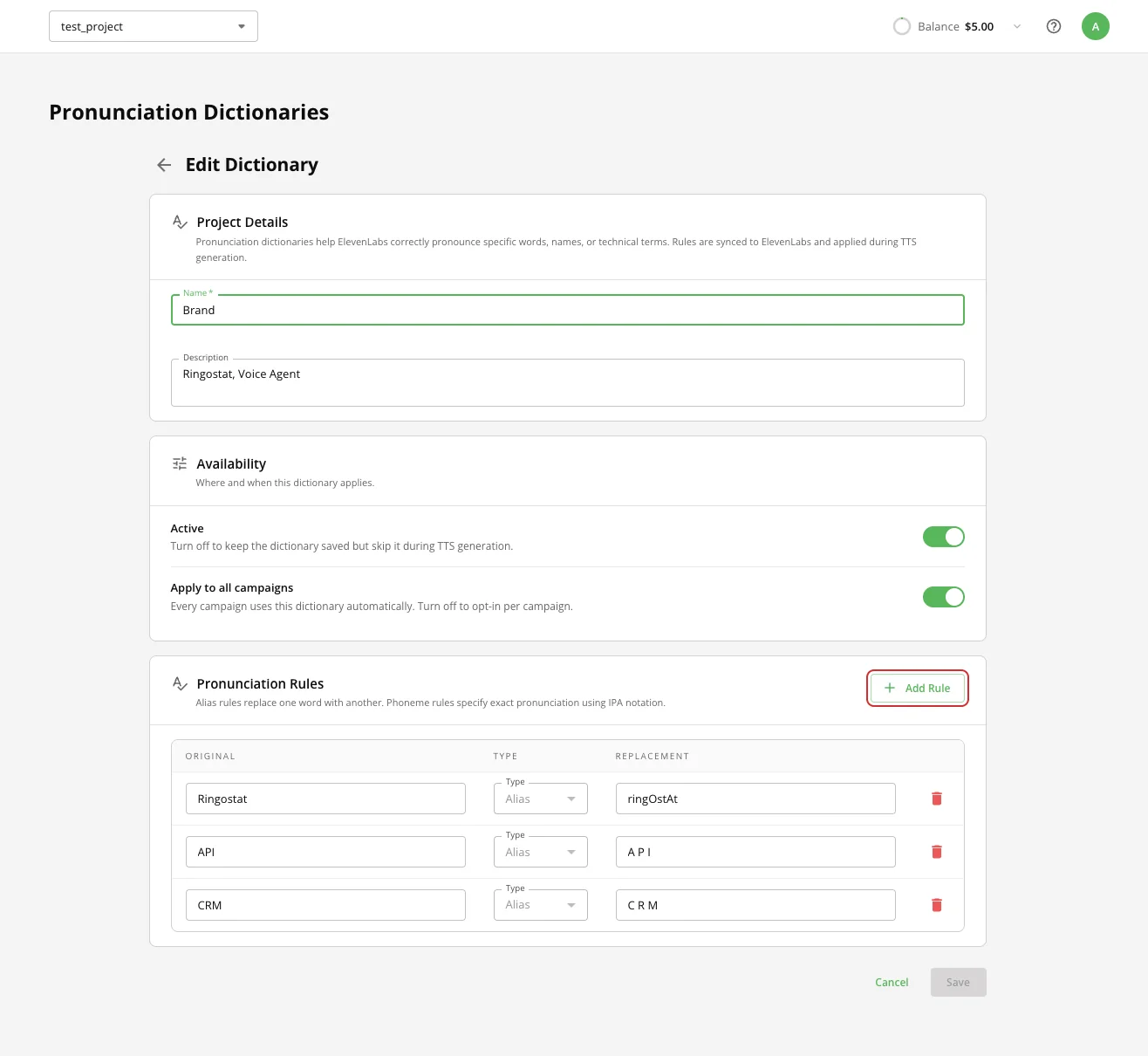
Dictionary page with rules - 3Click “Create”. The list shows the “Synced” status, the number of rules and the scope.
| Field | Status | Description |
|---|---|---|
| Name | required | The dictionary name in the list. |
| Description | optional | For you; the agent does not read it. |
| Active | — | A disabled dictionary is kept but not applied. Handy for switching rules off without deleting them. |
| Apply to all campaigns | — | On: the dictionary works in every campaign of the project. Off: connect it to each campaign separately. |
| Pronunciation Rules | — | Original → Type → Replacement. Type “Alias”: the word is replaced with a spelling the voice pronounces correctly, e.g. “Ringostat” → “ringOstAt”. |
The “Phoneme” type (IPA pronunciation) is not available yet: the current voice model does not support it.
2. Connect the dictionary to a campaign
If “Apply to all campaigns” is off: campaign editor → “Basic settings” → “Pronunciation dictionaries” field (shown when a voice that supports dictionaries is selected) → choose up to 3 dictionaries → “Save”.
3. Check the pronunciation
Start “Bot test” and ask the agent to say the words from the dictionary. After you change the rules, the new pronunciation is used from the next call.
Managing a dictionary
| Icon | What it does |
|---|---|
| + | Add a rule quickly. |
| Circular arrows | Sync again if the status is “Sync failed”. |
| Pencil | Edit the name, toggles and rules. |
| Trash | Delete the dictionary. |
What next
- Agent instructions — if the problem is not how the agent pronounces words but what it says.