
Connecting telephony (SIP)
- What you get:
- the agent calls real numbers and answers inbound calls.
- Before you start:
- SIP account details in Ringostat or another telephony service with SIP support; project admin rights — only an admin adds and changes SIP accounts.
A SIP account (endpoint) is needed only for calls to phone numbers. You can create a campaign and test the agent in the browser without it.
Add a SIP account
There are two ways:
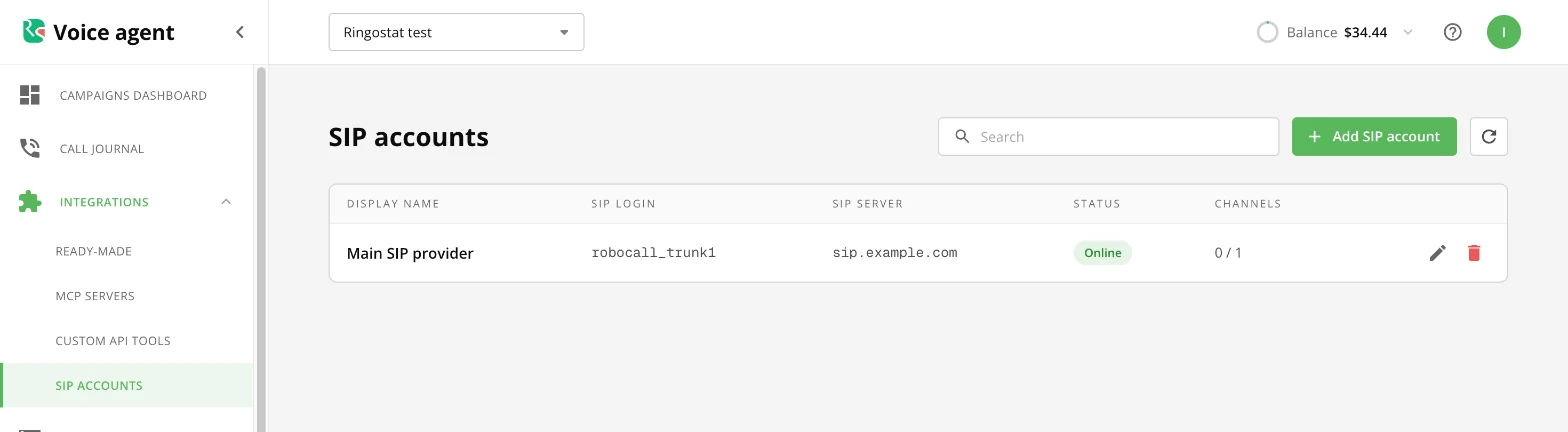
- Left menu → “Integrations” → “SIP accounts” → “Add SIP account”.
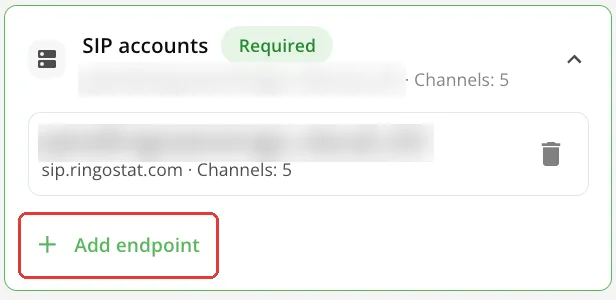
- In the campaign editor: the “SIP accounts” card → “+ Add endpoint”. The list of existing accounts opens; create a new one with the “Add SIP account” button at the bottom of the list.
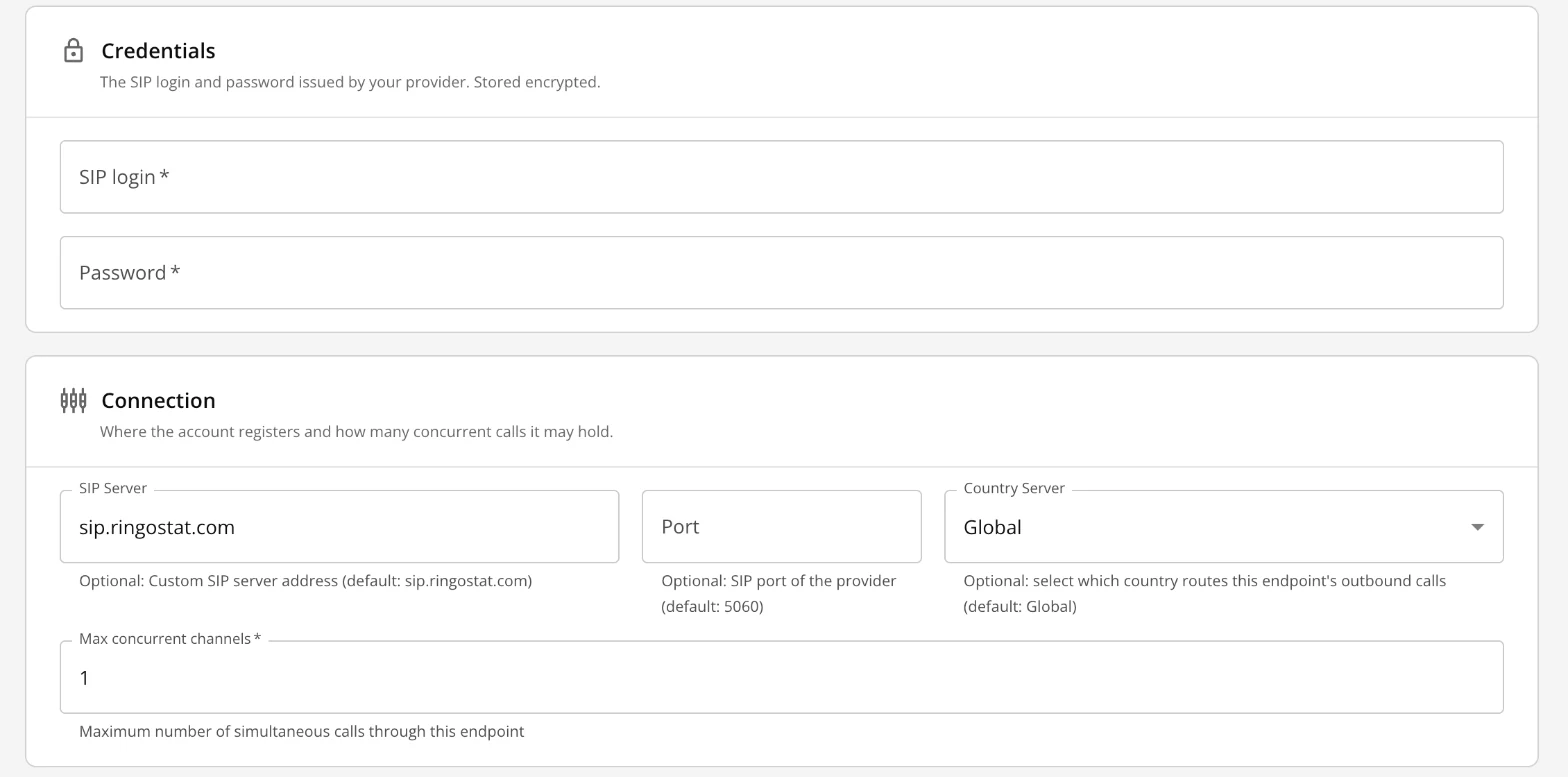
In the form enter the “SIP login” and “Password” from your provider. The “SIP Server” defaults to sip.ringostat.com and the port to 5060; “Max concurrent channels” is how many calls the account handles at once.
You can connect several SIP accounts to one campaign.
Status and password
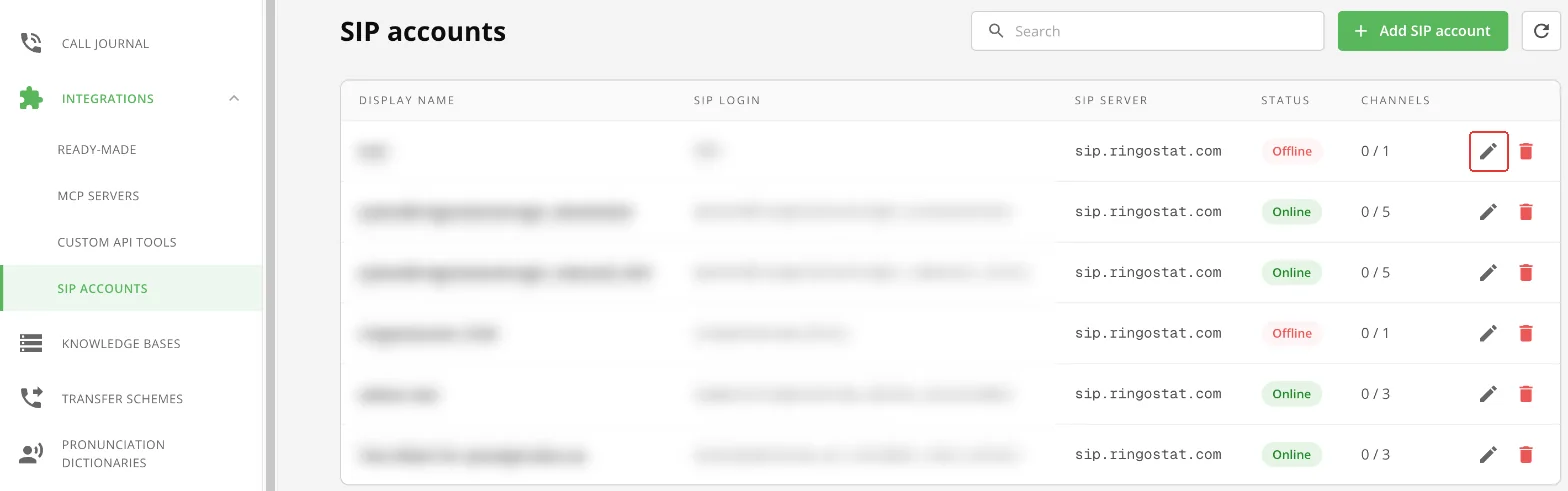
The account state is shown in “Integrations” → “SIP accounts”: “Online” means the account is registered and ready for calls, “Offline” means it isn't.
To change the account details (for example, a password changed in Ringostat):
- 1Click the pencil icon next to the account.
Edit a SIP account - 2Make your changes.
- 3Click “Save”.
If the account is “Offline”, see the “Common issues” guide.
Inbound calls: routing
The agent answers calls that come to the SIP account. Which campaign takes them is set in the account settings, not in the campaign.
- 1“Integrations” → “SIP accounts” → pencil icon → the “Routing” block.
- 2Choose the “Default Campaign”. Without it, inbound calls that stickiness doesn't route are rejected.
- 3If needed, turn on “Use Stickiness”: then an inbound call goes to the campaign that called this number through this SIP account in the last 24 hours.
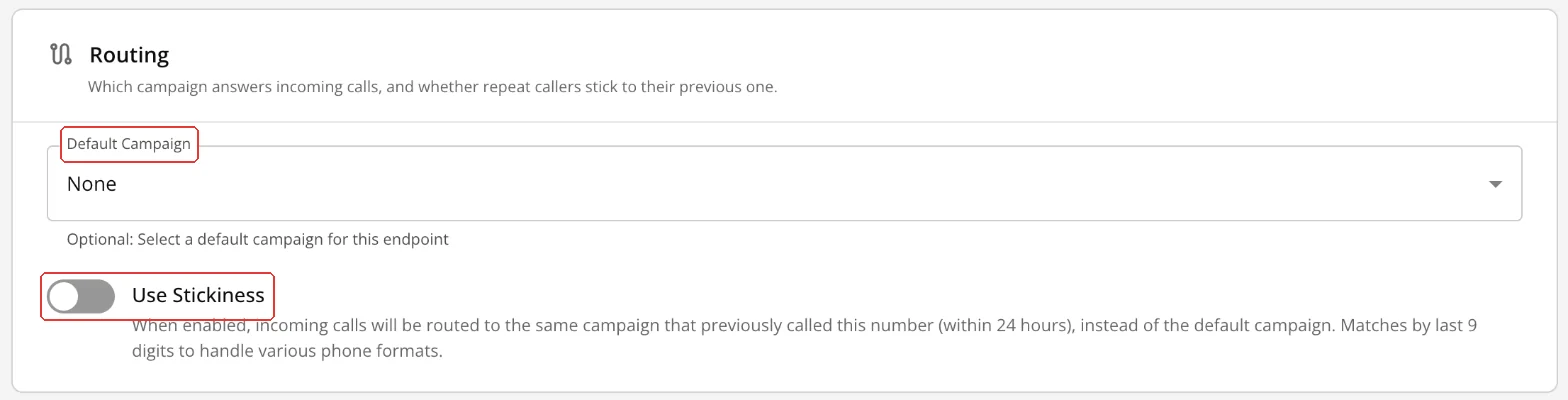
Routing - 4Click “Save”.
- 5Check the campaign's opening for inbound calls (the “Creating a campaign” guide, the “First message” section).
| Field | What it does |
|---|---|
| “Default Campaign” | Takes inbound calls that stickiness doesn't route. If it isn't chosen, such calls are rejected. |
| “Use Stickiness” | An inbound call goes to the campaign that called this number through this SIP account in the last 24 hours. Numbers are compared by their last 9 digits, so the format doesn't matter. |
What next
- Creating a campaign — connect the SIP account to a campaign.
- Common issues — if you got an email about a SIP account registration failure.