
Common issues
~4 min · Short answers to situations that come up after launch.
Short answers to the situations that most often come up after launch.
You got the “SIP Endpoint Registration Failed” email
Every hour the dashboard checks the main SIP account of each running campaign. If the account fails to register in 5 checks in a row (the “Offline” status), all project users get one email about the failure. The status is shown in “Integrations” → “SIP accounts”.
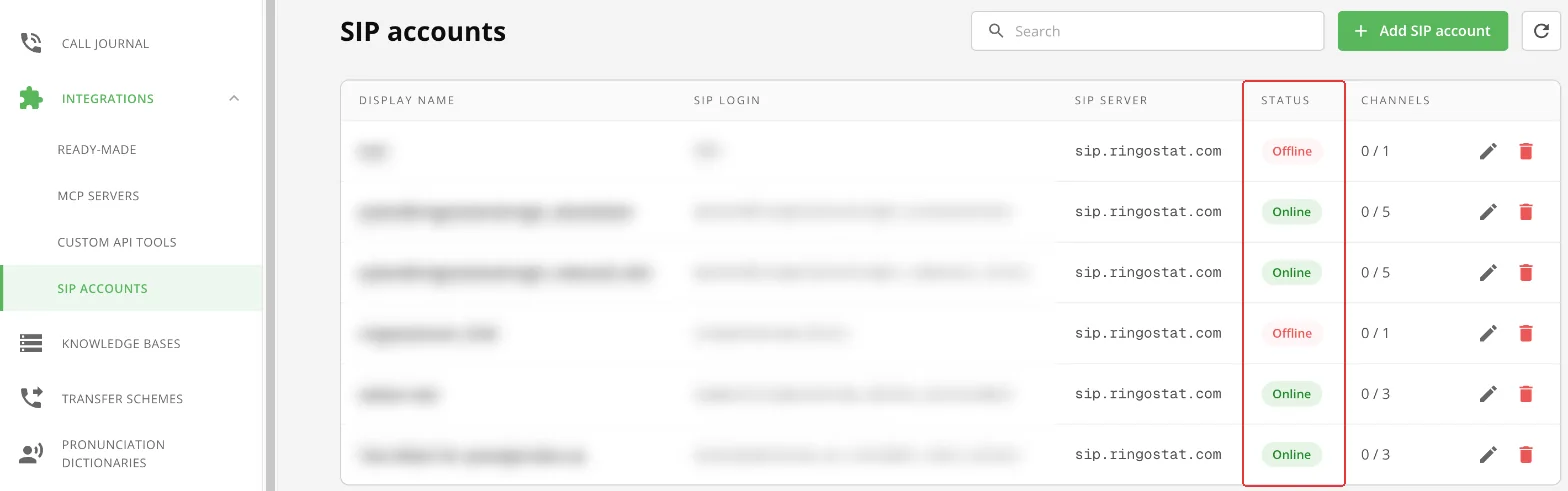
Possible causes:
- the SIP account details have changed or expired on the provider's side;
- the SIP account is already in use, for example logged in to Ringostat Smart Phone;
- the provider has deactivated the account;
- connection problems between the server and the provider.
What to check:
- 1The project status in Ringostat. The project where the SIP account was created must have the “Trial” or “Active” status. After the status changes, the SIP account switches to “Online” by itself.
- 2The SIP account password. If the account hasn't switched to “Online”, change the password in Ringostat. Then in Voice Agent: “Integrations” → “SIP accounts” → pencil icon → new password → “Save”.
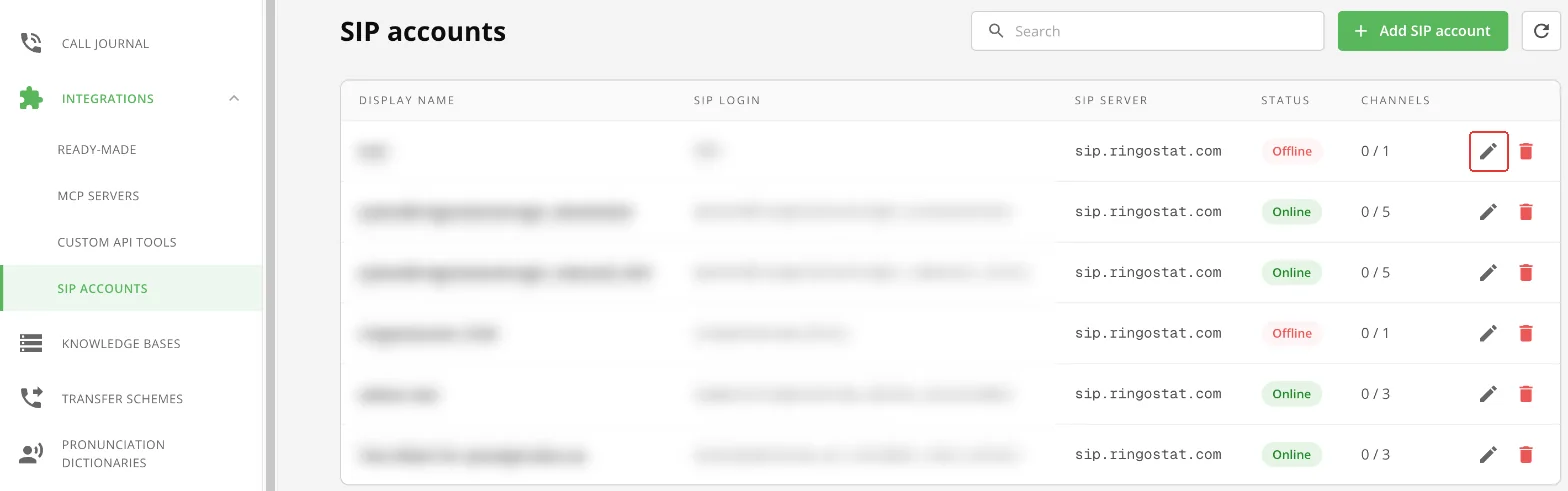
Edit a SIP account
Other situations
| Situation | What to do | More |
|---|---|---|
| You need to change the agent's voice | “Edit Campaign” → “AI Voice” (or “Voice”) → choose a voice → “Save”. If the voice's gender changed, check the “Identity” block. | “Creating a campaign” |
| Inbound calls reach the wrong campaign | Check “Routing” in the SIP account. “Use Stickiness” sends a call to the campaign that called this number through this SIP account in the last 24 hours. | “Connecting telephony (SIP)” |
| Inbound calls are rejected | In the SIP account's “Routing” choose a “Default Campaign”. | “Connecting telephony (SIP)” |
| On an inbound call the agent says “I'm calling you…” | Remove the outbound-call phrases from the agent instructions or set your own “Opening message for inbound calls”. | “Creating a campaign” |
| The pause before the agent answers is too long | 1.5–2 seconds is normal. If it is longer, set “Reasoning effort” to “Automatic” or the lowest level. | “Creating a campaign” |
| RoboCall is silent for the first seconds | That is how voicemail detection works: the robot listens to who answered. If you don't need it, turn it off. The Voice Agent isn't silent at the start: it recognizes an answering machine during the conversation. | “Advanced campaign settings” |
| A knowledge base article's status doesn't change | Close and reopen the articles window or refresh the page. | “Knowledge base (RAG)” |
| “Bot test” is inactive | Save the changes in the campaign. | “Numbers and test call” |
| An invoice isn't paid from the Ringostat balance | See the reason in the invoice row, top up the Ringostat balance and click “Retry”. | “Project and balance” |
| After cloning, the agent doesn't know the prices and terms | Knowledge bases aren't cloned. Connect them to the new campaign and turn on “Knowledge Base Integration (RAG)”. | “Managing campaigns” |